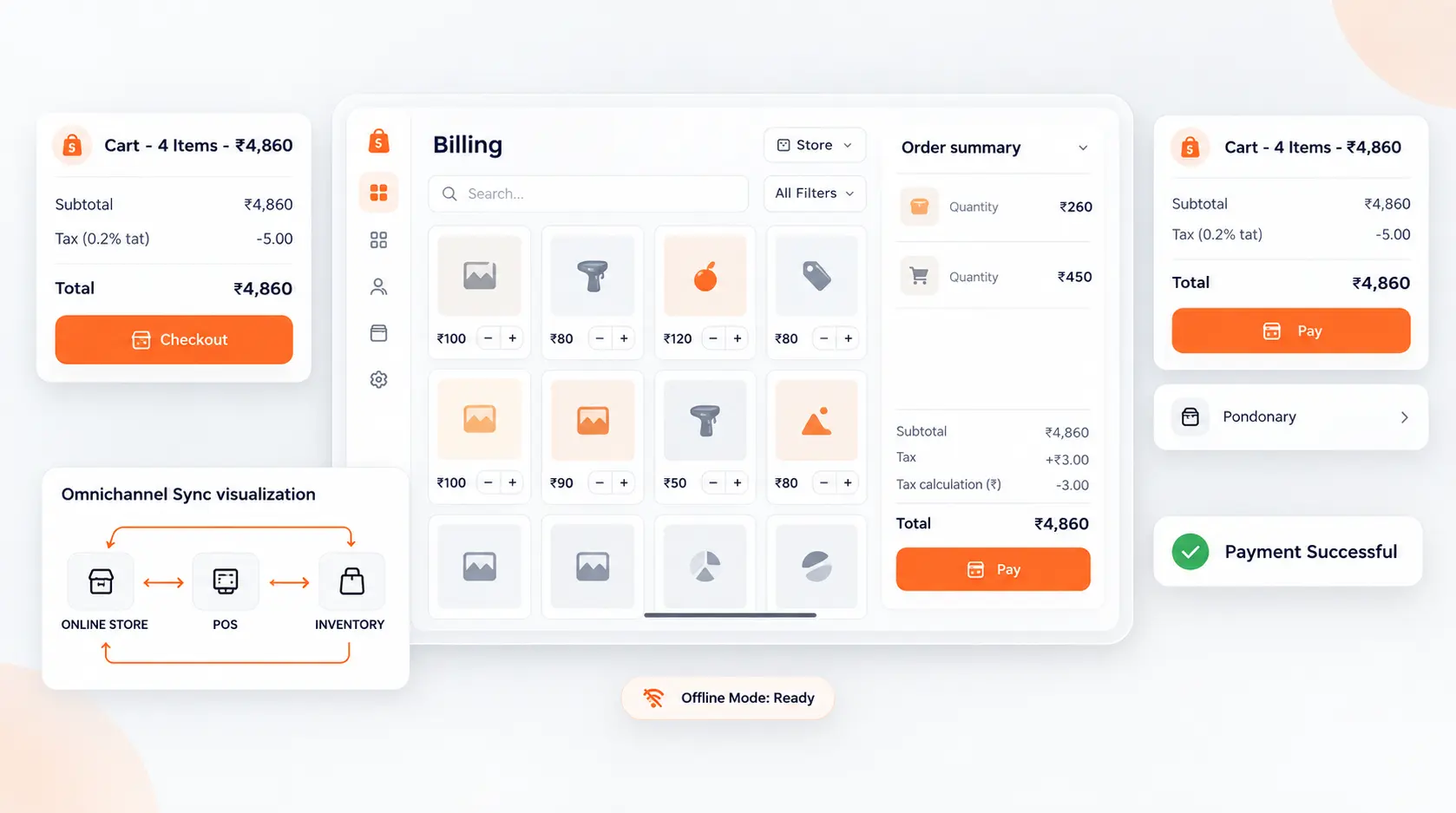
Blazing fast retail checkout with 100% offline reliability
Keep checkout lines moving without delay. Works flawlessly even when the internet goes down, syncing transactions automatically once reconnected. Ideal for retail stores, boutiques, and chains.
Seamlessly Interconnected with All C36Space Modules
No manual data entry, no fragile third-party webhooks. Every record in Point of Sale (Retail) connects natively across your entire business stack.
Central Inventory
Live SyncEvery checkout instantly decrements store shelf inventory and alerts warehouse replenishment.
Accounting Ledger
Live SyncClosing cash sessions automatically posts summarized journal entries and tax liabilities.
eCommerce Store
Live SyncUnified product catalog and synchronized stock balance between physical store and online shop.
CRM & Customer Loyalty
Live SyncBuild rich customer purchase history profiles for targeted promotional campaigns.
Point of Sale
Switch views, manage everything in context
Click through each capability to explore how Point of Sale (Retail) streamlines your day-to-day workflow.
Integrated Capabilities
Everything your team needs, unified in Point of Sale (Retail)
Keep checkout lines moving without delay. Works flawlessly even when the internet goes down, syncing transactions automatically once reconnected. Ideal for retail stores, boutiques, and chains.
Native Ecosystem Data Synchronization
Every action in Point of Sale (Retail) updates records, statuses, and cross-functional operations across the entire suite with zero manual bridging.
Explore 35+ interconnected apps →Automations that run 24/7
Trigger event handlers, multi-level validation gates, and notification alerts seamlessly across Point of Sale (Retail).
View automation engine →Live Telemetry
Average checkout transaction speed
Universal Command ⌘K
Search across records, workflows, and logs in milliseconds.
Enterprise Cloud Engine
Hosted in resilient cloud availability zones with automated snapshots.
Operational Flow
End-to-End Automated Pipeline
Transform fragmented tasks into a continuous, frictionless flow with Point of Sale (Retail).
1. Scan & Search
Scan product barcodes or tap touchscreen tiles with variant selection.
2. Apply Discounts & Loyalty
Redeem customer loyalty reward points, coupons, and promotional price lists.
3. Split Payment & Receipt
Accept UPI, cards, cash, or credit, and issue printed or SMS/WhatsApp receipts.
Average checkout transaction speed
Cross-Module Sync Latency
Web & Mobile Responsive
End-to-End Cloud Encryption
Deep Capabilities
Engineered for High-Precision Operations
Explore the specialized tools built directly into Point of Sale (Retail).
Zero-Downtime Offline Mode
Keep selling even during internet outages; orders sync to central database immediately upon reconnection.
Omnichannel Customer Loyalty
Customers earn and redeem loyalty points across physical retail branches and online eCommerce.
Multi-Register Cash Control
Track opening float, cash drops, and register reconciliation at the close of every shift.
Hardware & Peripheral Support
Plug-and-play compatibility with thermal receipt printers, barcode scanners, cash drawers, and customer displays.
Mission-Critical Security & Compliance Built-In
Every byte in Point of Sale (Retail) is encrypted at rest and in transit. Granular Role-Based Access Control (RBAC), multi-tenant isolation, and complete audit logging keep your company data secure.
Define exact record-level access rules, field-level visibility, and manager approval chains per department.
Complete version history, event timestamps, and operator logs on every record creation, edit, or approval.
Built-in compliance with data privacy regulations (GDPR, DPDP), strict residency policies, and statutory standards.
Redundant high-availability cloud infrastructure with instant disaster recovery and sub-second query latency.
Common Questions
Frequently Asked Questions
Everything you need to know about getting started with Point of Sale (Retail).
Ready to transform your operations with Point of Sale (Retail)?
Join thousands of growing companies who trust C36Space for clean execution, real-time books, and complete operational visibility.